Staying informed about everything happening around us is crucial, but the sheer volume of news can be overwhelming.
Google News offers multiple tools to make news consumption more manageable and tailored to your interests. Here are four Google News features that can enhance your daily news navigation experience:
1. Customised News Briefing
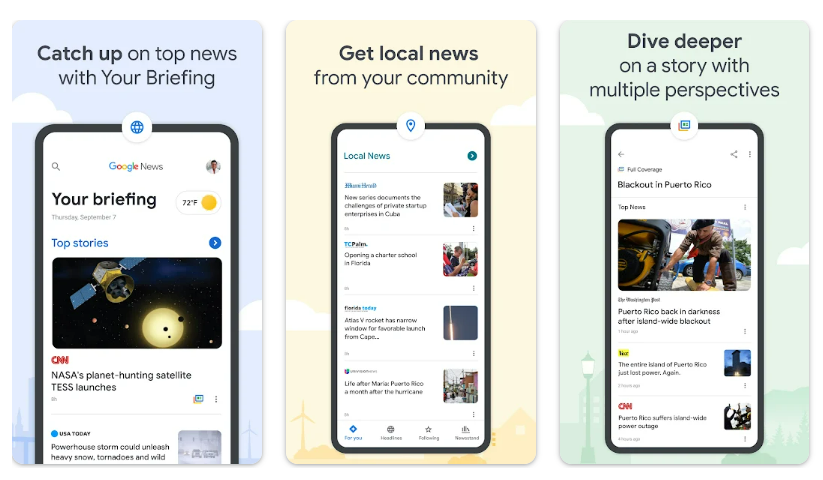
Google News uses machine learning to curate a personalized news feed. By analyzing your reading habits and preferences, it presents stories that are most relevant to you. You can refine this further by following specific topics, sources, or locations.
2. Full Coverage Feature
For comprehensive understanding, the Full Coverage option is invaluable. It compiles different perspectives and articles on a single news event, offering a multifaceted view. This feature is particularly useful in understanding complex issues or events covered widely in the media. The Full Coverage option is available at the bottom left corner of a news story.
3. Save for Later
The Save for Later feature allows you to bookmark stories, which you can access at your convenience, ensuring you never miss out on articles you find interesting. Click on the three dots on the news story and select Save for Later from the drop-down menu.
4. Real-Time News Alerts
To stay updated with real-time alerts on breaking news, you can enable notifications for topics you are interested in. Google News ensures you are timely informed about significant developments and updates. To do so, tap on your profile picture or initial in the top right corner and choose News Settings from the menu. Scroll to find the Notifications section and customize your preferences for receiving alerts.